
Boomwhacker Falling Notes
Für iPad und iPhone. Bald im App Store.
Pour iPad et iPhone. Bientôt sur l’App Store.
Per iPad e iPhone. Presto sull’App Store.
For iPad and iPhone. Coming soon to the App Store.
Sofort verständlich
Compris tout de suite
Chiaro da subito
Clear at a glance
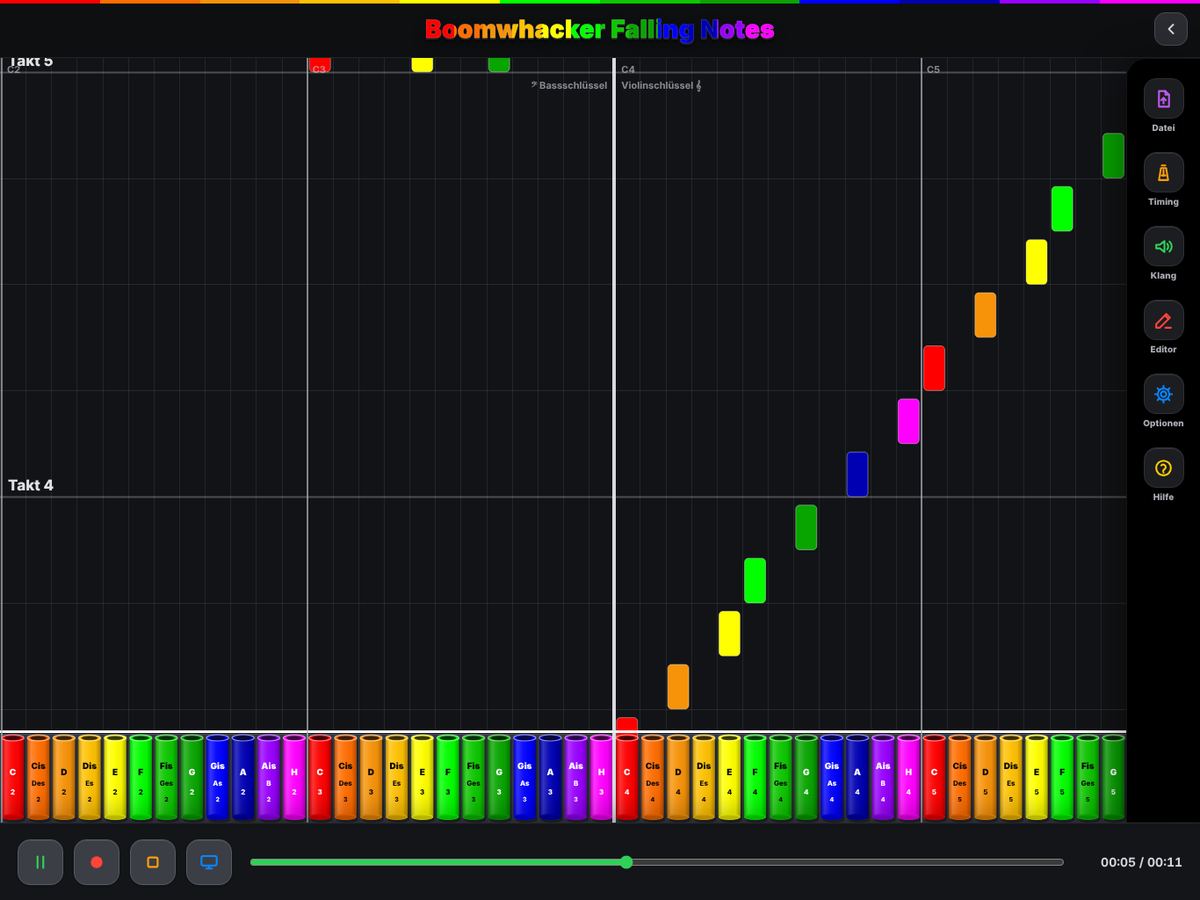
Jede Röhre hat ihre Farbe. Wer getroffen wird, spielt – Notenlesen ist nicht nötig.
Chaque tube a sa couleur. Celui qui est touché joue – pas besoin de lire la musique.
Ogni tubo ha il suo colore. Chi viene colpito suona – non serve leggere la musica.
Every tube has its color. When a bar hits your tube, you play – no reading required.
Für den Beamer
Pour le projecteur
Per il proiettore
Made for projectors
Der Beamer zeigt nur die fallenden Noten, bedient wird auf dem iPad oder iPhone.
Le projecteur n’affiche que les notes qui tombent, la commande reste sur l’iPad ou l’iPhone.
Il proiettore mostra solo le note che cadono, i comandi restano sull’iPad o sull’iPhone.
The projector shows only the falling notes while you control everything on the iPad or iPhone.
Eigene Stücke
Vos propres morceaux
I tuoi brani
Your own pieces
MusicXML- und MIDI-Dateien öffnen, zum Beispiel aus MuseScore – oder im Editor selbst einspielen.
Ouvrir des fichiers MusicXML et MIDI, par exemple de MuseScore – ou les jouer vous-même dans l’éditeur.
Aprire file MusicXML e MIDI, per esempio da MuseScore – oppure suonarli tu stesso nell’editor.
Open MusicXML and MIDI files, for example from MuseScore – or play them in yourself with the editor.
So funktioniert es
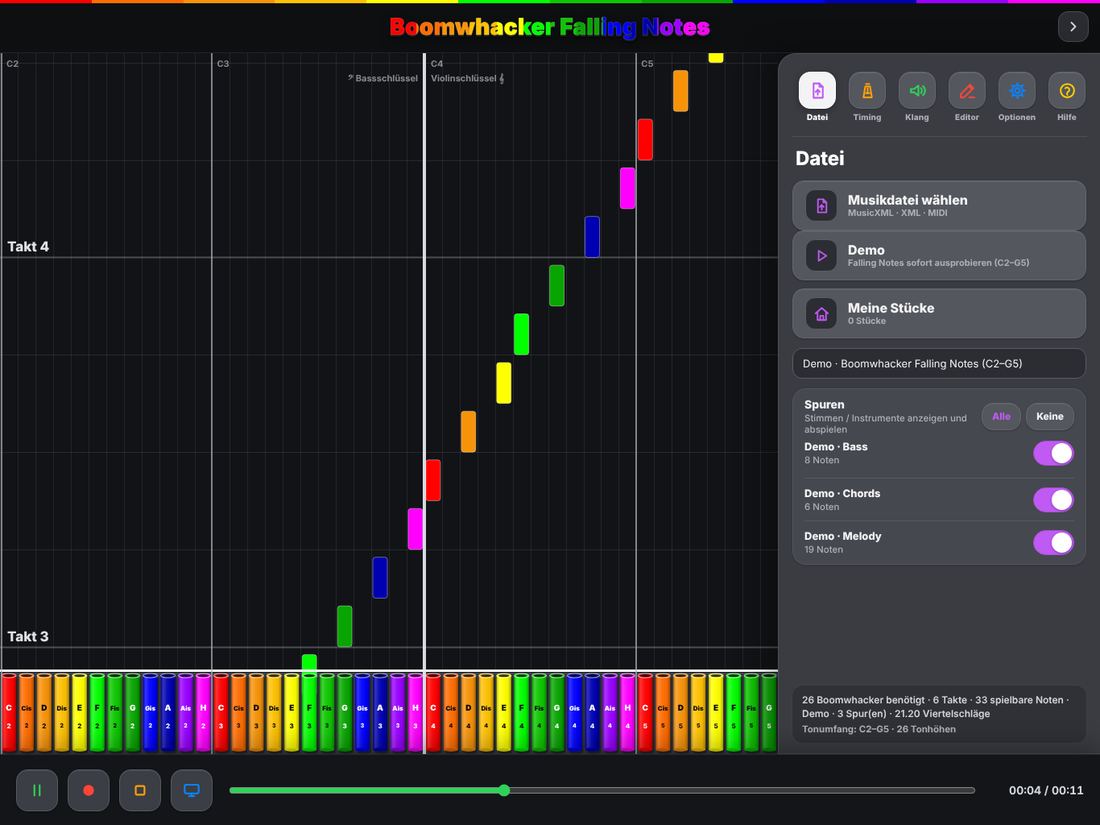
- Stück wählen: MusicXML- oder MIDI-Datei öffnen oder mit der Demo starten.
- Röhren verteilen: Die App zeigt, welche Boomwhacker das Stück braucht.
- Play drücken: Die Balken fallen im Tempo auf die Röhren – Metronom und Einzähler helfen beim Start.
Comment ça marche
- Choisir un morceau : ouvrir un fichier MusicXML ou MIDI, ou commencer avec la démo.
- Distribuer les tubes : l’app indique les boomwhackers nécessaires.
- Appuyer sur Play : les barres tombent en rythme sur les tubes – métronome et décompte aident à démarrer.
Come funziona
- Scegliere un brano: aprire un file MusicXML o MIDI, oppure iniziare con la demo.
- Distribuire i tubi: l’app mostra quali boomwhacker servono.
- Premere Play: le barre cadono a tempo sui tubi – metronomo e conteggio aiutano a partire.
How it works
- Pick a piece: open a MusicXML or MIDI file, or start with the demo.
- Hand out the tubes: the app shows which Boomwhackers the piece needs.
- Press play: the bars fall onto the tubes in time – metronome and count-in help you start together.
Keine Werbung. Kein Konto. Keine Datensammlung.
Pas de publicité. Pas de compte. Aucune collecte de données.
Nessuna pubblicità. Nessun account. Nessuna raccolta di dati.
No ads. No account. No data collection.
Ihre Stücke bleiben auf Ihrem Gerät. Mehr dazu in der Datenschutzerklärung.
Vos morceaux restent sur votre appareil. Plus d’informations dans la politique de confidentialité.
I tuoi brani restano sul tuo dispositivo. Maggiori dettagli nell’informativa sulla privacy.
Your pieces stay on your device. Read more in the privacy policy.